
Create tasks by voice, schedule calls, and plan your day — directly from Claude. Voiset MCP Server connects your AI assistant to your task manager in minutes.
Voiset uses MCP — the open standard that lets any AI agent read your tasks, create new ones, and update your calendar. Connect once, use with any agent you already work with.


Not locked into one AI. Voiset connects to Claude, ChatGPT, Cursor, and any future agent that supports MCP — so your task manager works with whatever AI you're using today, and tomorrow.
Once Voiset is connected, Claude becomes your AI task manager. Create tasks, schedule meetings, check your workload, and plan your day. Ask for productivity advice, analyse how you spend your time, or get a prioritised breakdown of what needs attention first.
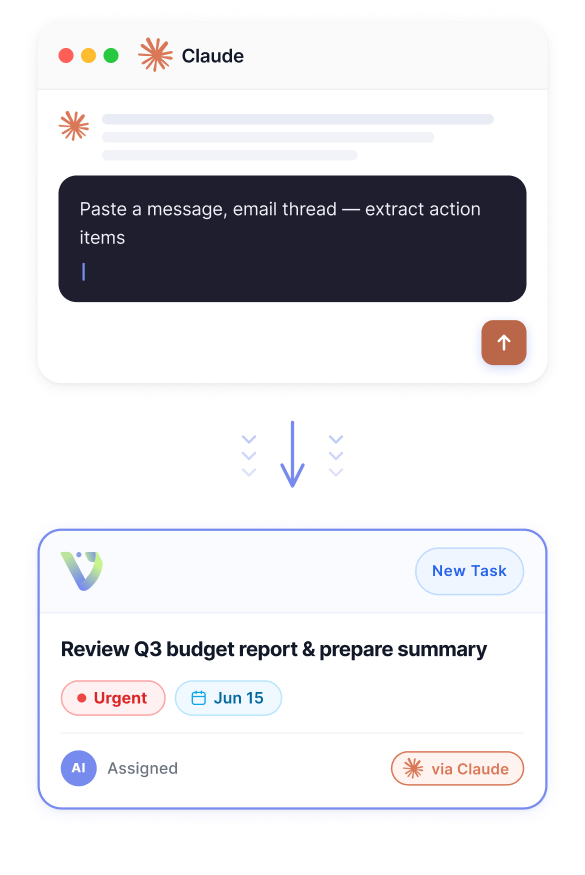
Create tasks from any conversation. Paste a message, email thread, or meeting note into Claude and ask it to extract action items. Voiset turns them into structured tasks with deadlines and priorities — added to your calendar automatically.
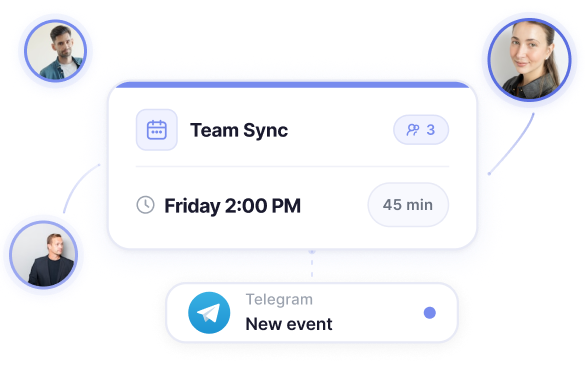
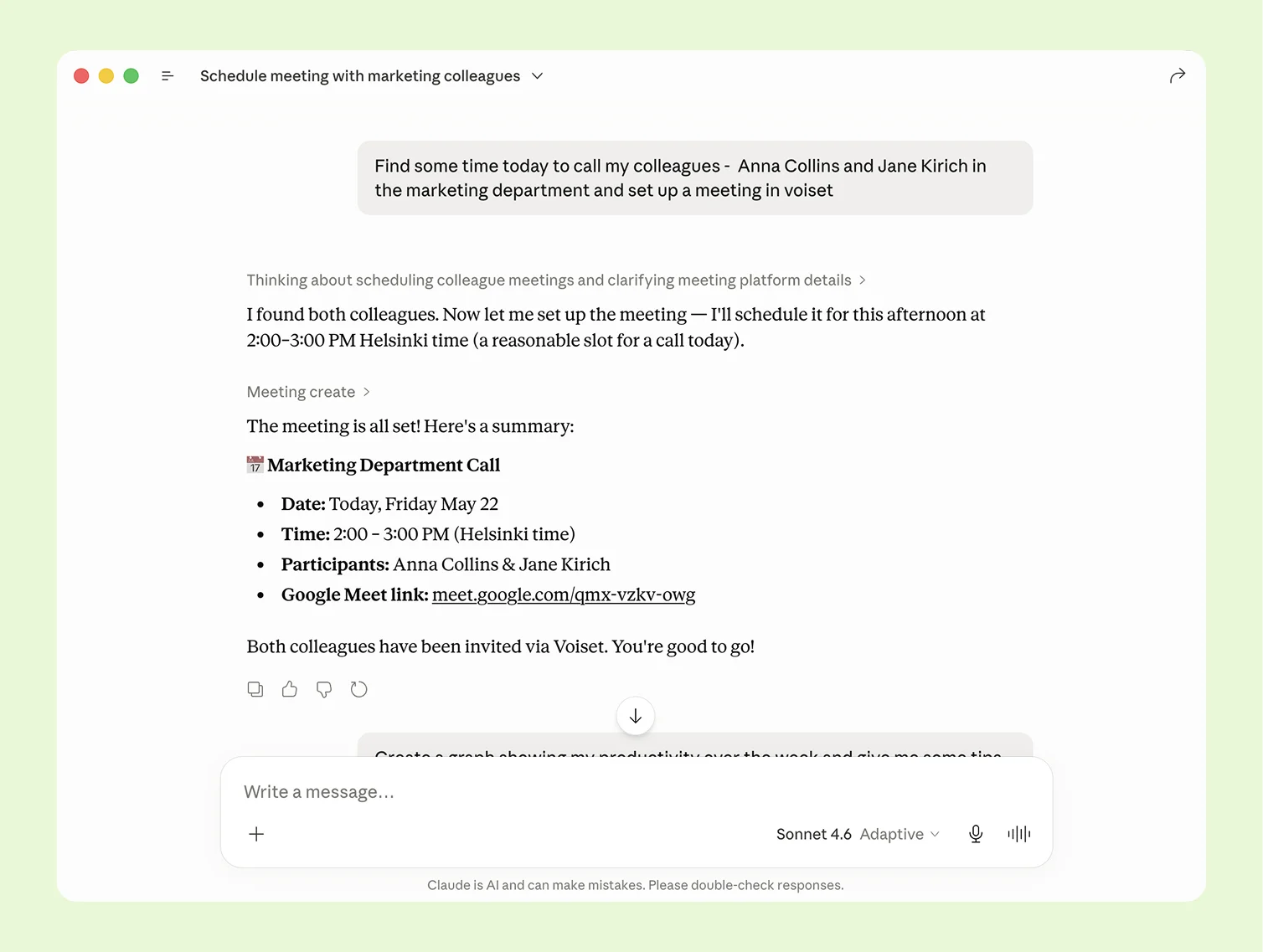
Schedule team calls without leaving Claude. Tell Claude who needs to be on the call and when — Voiset creates the meeting, syncs it to Google Calendar or Outlook, and notifies everyone in Telegram. No back-and-forth.
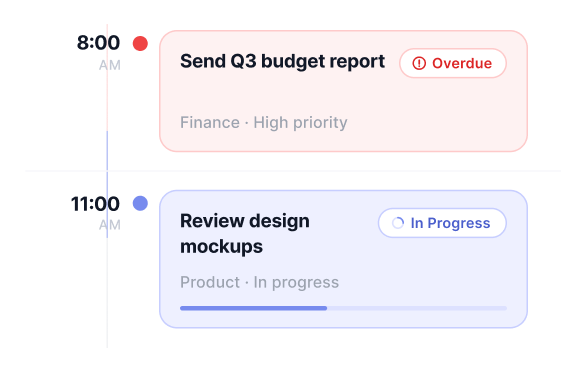
Check your schedule and workload on demand. Ask Claude what's on today, what's overdue, or how loaded your week looks. Voiset pulls your full task list and calendar in real time.
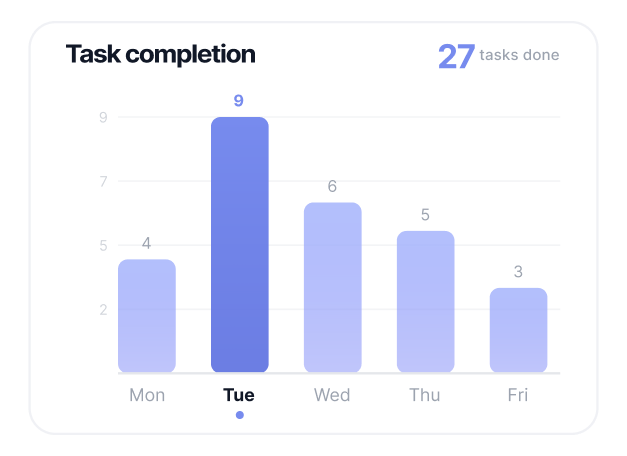
Track your productivity and get AI advice. Ask Claude how your time was spent, which tasks took longest, or where your week is overloaded. Voiset provides the data — Claude tells you what to fix.
Voice input on the go. Open Claude on your phone, say what needs to be done, and keep moving. Voiset structures it, schedules it, and syncs it to your calendar instantly.
A proven process designed to transform complex workflows into scalable AI-powered systems — efficiently and strategically.
Start Managing Tasks with Claude
Copy URL
.webp)
Free 14-day trial · No credit card · Works with Claude, ChatGPT, and any MCP-compatible agent
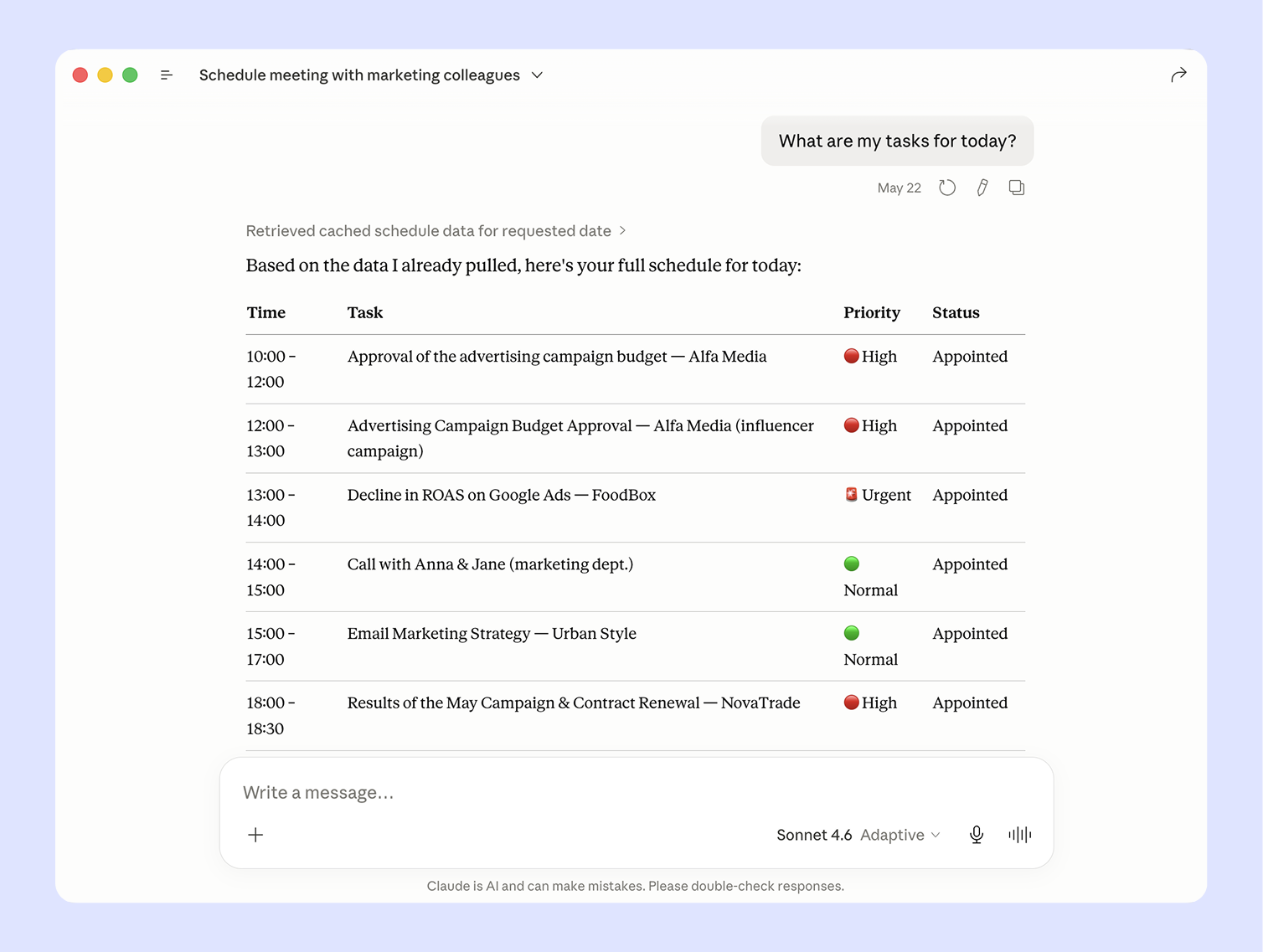
Claude connects directly to your Voiset workspace — it sees your tasks, deadlines, and calendar without you explaining anything. Ask "What should I focus on today?" and Claude analyses your workload and tells you where to start. Ask how your week looked and get an honest productivity breakdown — which days were overloaded, where focus time disappeared, and what to adjust next week.
Claude connects directly to your Voiset workspace — it sees your tasks, deadlines, and calendar without you explaining anything. Ask "What should I focus on today?" and Claude analyses your workload and tells you where to start. Ask how your week looked and get an honest productivity breakdown — which days were overloaded, where focus time disappeared, and what to adjust next week.
Tell Claude to create a task and assign it to a team member — Voiset checks their current workload before confirming so you're not overloading anyone. Schedule a team call by naming the participants, time, and agenda — the meeting lands in everyone's calendar with a Telegram notification.
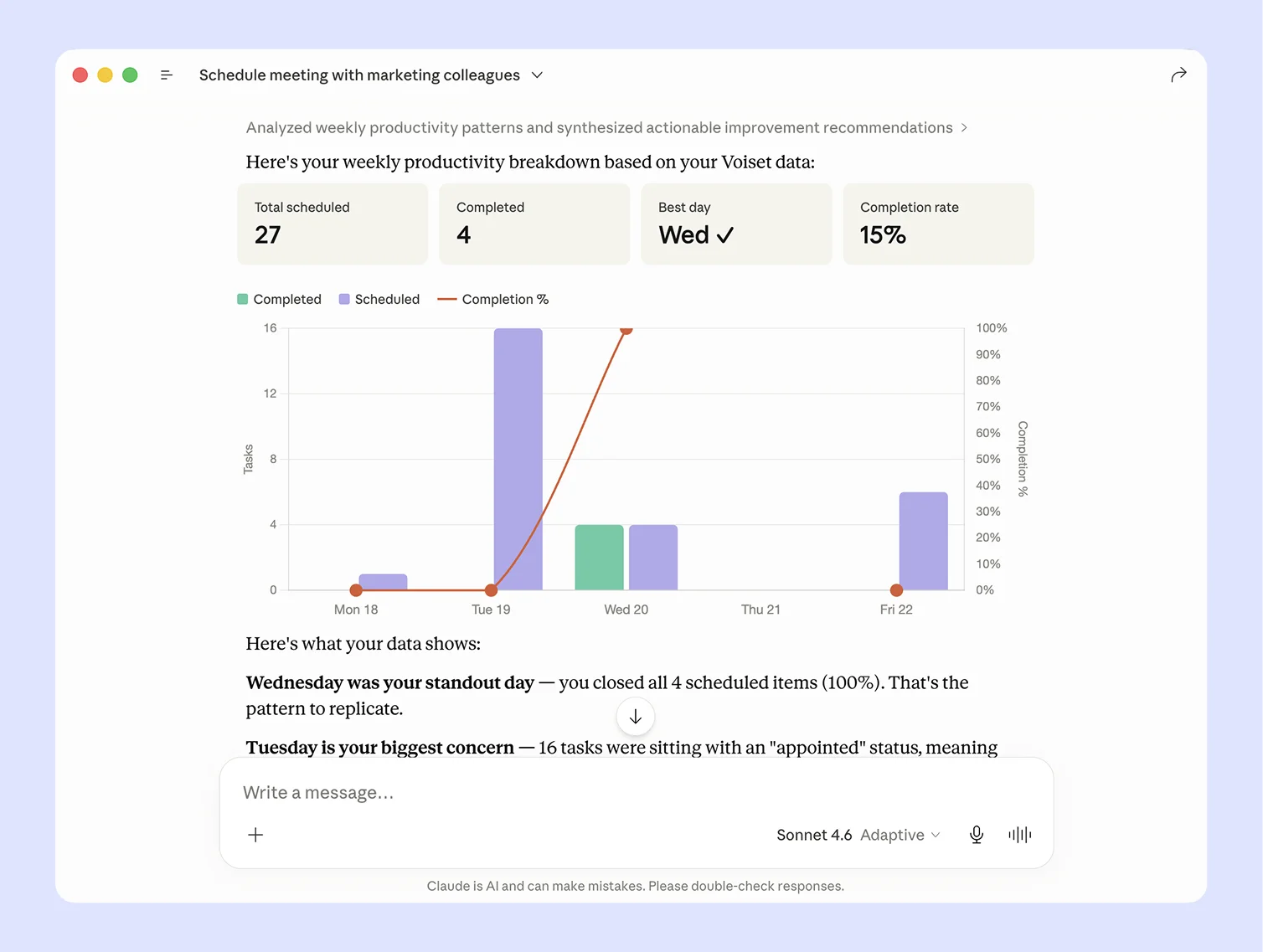
Claude pulls your team's task data directly from Voiset and turns it into a clear productivity breakdown — total scheduled, completed, best day, and completion rate. No dashboard to build, no export needed. Ask once, get the full picture. Claude also tells you what the data means: which days were most productive, where work is piling up, and what to fix next week.
Claude pulls your team's task data directly from Voiset and turns it into a clear productivity breakdown — total scheduled, completed, best day, and completion rate. No dashboard to build, no export needed. Ask once, get the full picture. Claude also tells you what the data means: which days were most productive, where work is piling up, and what to fix next week.

Yes. Voiset connects to Claude via MCP — the open standard for AI integrations. Once connected, Claude can create tasks, schedule meetings, check your calendar, and pull productivity data directly from your Voiset workspace. Setup takes less than 2 minutes.
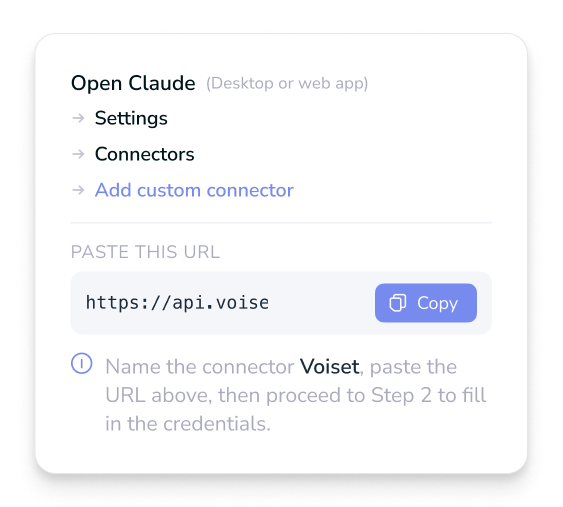
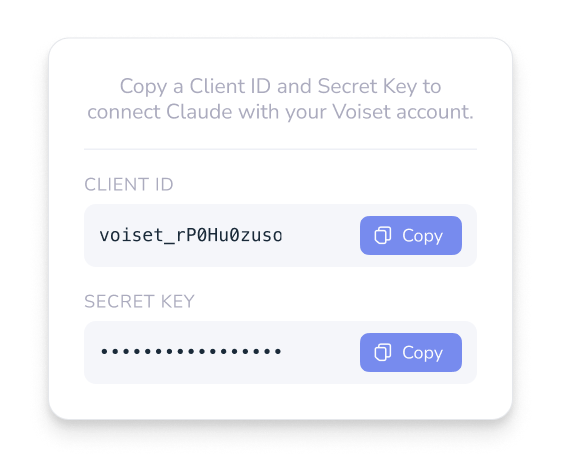
Open Claude → Settings → Connectors → Add custom connector. Paste your Voiset MCP URL, add your Client ID and Secret Key from Voiset Settings, and confirm access. Claude redirects you to Voiset for one-click authorization — no manual login required.
Yes. Tell Claude what needs to be done — by text or voice — and Voiset structures it into a task with a title, deadline, and priority. The task is scheduled into your Google Calendar or Outlook automatically around your existing commitments.
Yes. Voiset uses MCP — the open standard that connects any AI agent to your tools. Claude, ChatGPT, Cursor, and any future MCP-compatible agent can access your Voiset workspace without separate setup for each one.
Voiset offers a 14-day free trial with full access - no credit card required. The Claude connector is available on all paid plans starting at €9.99/month.
Voiset connects to Claude so your AI assistant knows your schedule, your team, and your priorities. Create tasks by voice, schedule calls, check your workload — all in one conversation.
Connect Voiset to Claude — free for 14 daysNo credit card · Full access · Connects in 2 minutes

