Family planner & shared calendar, organized automatically

Build one shared family calendar that brings everyone's plans together: work, school, classes, and your partner's schedule. Voiset syncs all your calendars and lets AI handle routines, reminders, and kids' activities, so the whole family stays in sync and you get more time together.

Get started - it's free
family calendarfamily calendar

The best shared calendar and planner for families

No more missed pickups, forgotten events, or lost notes. Just a calmer week and more time with the people who matter.

One shared family calendar

Put events, birthdays, appointments, chores, and shopping in one place every family member can see and update in real time.

Reminders for everyone

When a plan is added or changed, Voiset notifies the people involved on their phone, so no one misses a pickup, appointment, or chore.

A schedule for the kids

Give each child their own view of school, clubs, and sports, with a reminder before every activity, so they always know what's next.

Connect work, school, and personal calendars

Sync Google, Outlook, and Zoom so everyone's events flow in automatically. Nothing to re-enter, nothing to move from where it already lives.

Master calendar for the whole family

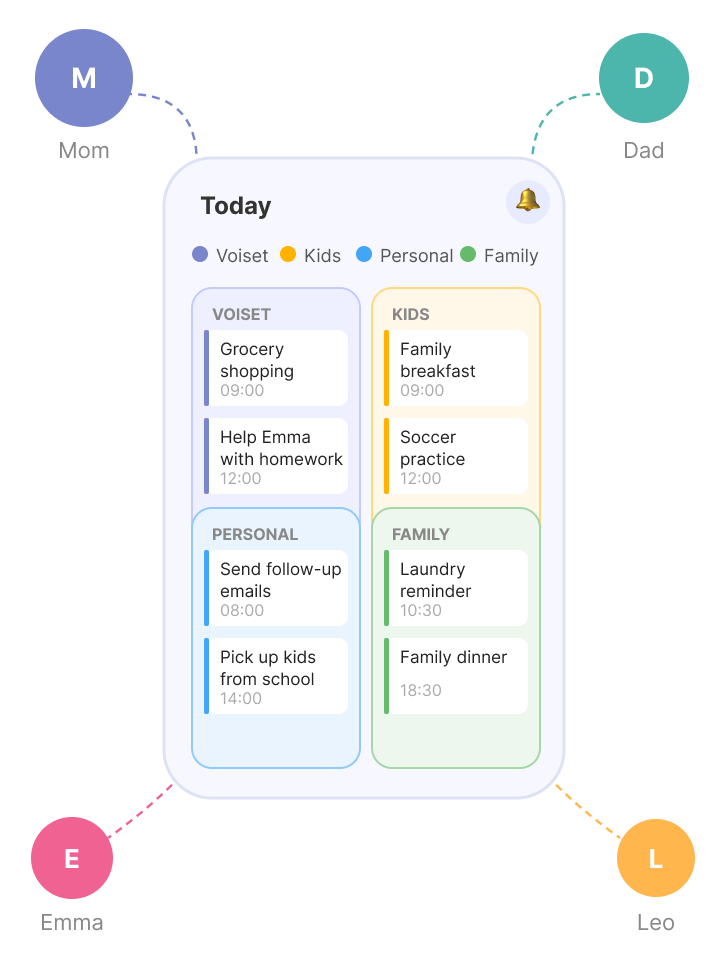
See everyone's plans from every workspace in one color-coded view, a separate color per person, so you spot conflicts at a glance.

Shared access for everyone

Everyone can view and add plans, and the AI schedules around each member's real availability, so there are no double-bookings.

How to create a family calendar

family workspace
1

Create a separate family workspace

Start by creating a new workspace dedicated to your family. This space will keep all your shared events, routines, and activities in one organized place — separate from work or personal plans.

Work & life separation - Keep your family calendar separate from work or personal planning. Clean boundaries = better focus and less chaos.
Shared calendar for the whole family - Organize all your family events, chores, and appointments in one shared space.
1

Create a separate family workspace

Start by creating a new workspace dedicated to your family. This space will keep all your shared events, routines, and tasks in one organized place — separate from work or personal plans.

Work & life separation - Keep your family calendar separate from work or personal planning. Clean boundaries = better focus and less chaos.
Shared calendar for the whole family - Organize all your family events, chores, and appointments in one shared space.
2

Invite your family members

Add your partner, kids, or other family members to the workspace. Everyone will get access to the shared calendar and be able to contribute or track what’s happening.

Real-time updates & reminders — Get instant calendar notifications when something changes — no one misses a thing.
Shared calendar access for everyone — Each family member can view and manage events, so everyone stays informed and connected.
family members
2

Invite your family members

Add your partner, kids, or other family members to the workspace. Everyone will get access to the shared calendar and be able to contribute or track what’s happening.

Real-time updates & reminders — Get instant calendar notifications when something changes — no one misses a thing.
Shared calendar access for everyone — Each family member can view and manage events, so everyone stays informed and connected.
events and recurring plans
3

Set up events and recurring plans

Add birthdays, school schedules, family dinners, and recurring chores. Use reminders and repeat options to make sure nothing is missed.

Smart Family Planner – Create tasks with specific times and priorities to keep everything organized and nothing forgotten.
Recurring & One-Time Tasks – Plan both one-time and repeating to-dos, from school pickups to weekly dinners.
3

Set up events and recurring plans

Add birthdays, school schedules, family dinners, and recurring chores. Use reminders and repeat options to make sure nothing is missed.

Smart Family Planner – Create tasks with specific times and priorities to keep everything organized and nothing forgotten.
Recurring & One-Time Tasks – Plan both one-time and repeating tasks, from school pickups to weekly dinners.
4

Sync with external calendars

Connect Google Calendar or others to pull in existing events — no need to start from scratch. Everything is displayed clearly in one timeline.

No Need to Switch – Keep your existing calendar and let Voiset layer family scheduling, reminders, and AI planning over it.
Sync with Your Favorite Calendars – Connect Voiset with Google, Zoom, or Outlook calendars to keep everything in one place.
external calendars for a family
4

Sync with external calendars

Connect Google Calendar or others to pull in existing events — no need to start from scratch. Everything is displayed clearly in one timeline.

No Need to Switch – Keep using the calendars you already love while enjoying smart family planning features in Voiset.
Sync with Your Favorite Calendars – Connect Voiset with Google, Zoom, or Outlook calendars to keep everything in one place.
Create a family calendar
5

Manage everything with the Master Calendar

Voiset’s Master Calendar brings it all together — events from family, personal, and workspaces shown in one smart view. Color coding helps you stay organized, and the AI ensures no overlaps.

Workspaces for Every Group – Create separate spaces for family, school, or personal life, and manage each area without mixing things up.
Master Calendar View – See all your family’s plans, events, and tasks in one clear, organized timeline to avoid overlaps and stay on track.
5

Manage everything with the Master Calendar

Voiset’s Master Calendar brings it all together — events from family, personal, and workspaces shown in one smart view. Color coding helps you stay organized, and the AI ensures no overlaps.

Workspaces for Every Group – Create separate spaces for family, school, or personal life, and manage each area without mixing things up.
Master Calendar View – See all your family’s tasks, events, and plans in one clear, organized timeline to avoid overlaps and stay on track.

Save up to 30% of your time with smart, automatic scheduling

Smart scheduling takes care of the planning for you. It automatically organizes to-dos, appointments, and recurring events based on your family’s availability — no need to manage every detail yourself. From daily routines to last-minute changes, everything falls into place effortlessly.

Try AI for the family

Auto-scheduling

Tasks and events are organized for you — no more manual planning. The system analyzes availability and priorities to place everything at the perfect time.

Conflict-Free Planning

Avoid double-bookings and overlaps. The smart planner checks everyone’s schedules and finds the best time for each activity, ensuring smooth coordination.

AI-Powered Notes

AI turns your voice into structured notes or plans, helping you capture ideas, chores, or reminders on the go. Automatically convert them into actionable tasks with deadlines and reminders.

Stay on top of your child’s busy schedule

From school drop-offs and homework time to piano lessons and playdates — keep everything organized in one place. With shared access, both parents can track and update their child’s daily agenda, set reminders for upcoming classes, and ensure nothing is forgotten.

Get started - it's free
Make a child's schedule Make a child's schedule

The mobile app keeps your family plans always within reach

Manage all your family's tasks, notes, and schedules in one simple mobile app. With Voiset, you don’t need to switch between different apps — everything you need is in one place.

Access schedules anytime

Open your shared calendar and to-dos list wherever you are.

Real-time alerts

Get notified when plans change or new tasks are added.

AI task manager mobile app

Quick voice input

Add reminders, chores, or ideas instantly using your voice.

Switch with ease

Move between spaces with one tap and manage calendars, and notes without the clutter.

Creating tasks and notes with your voice
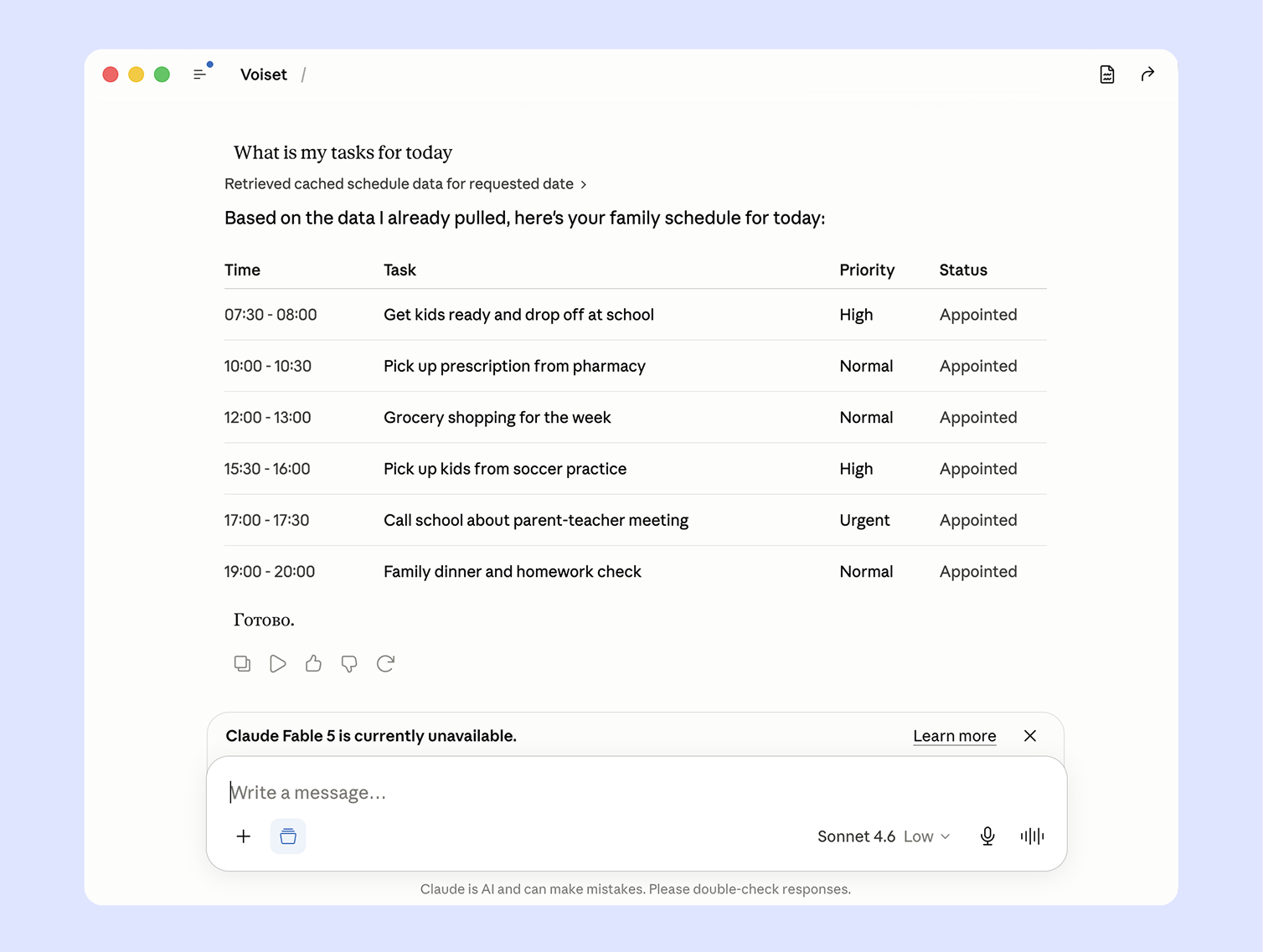
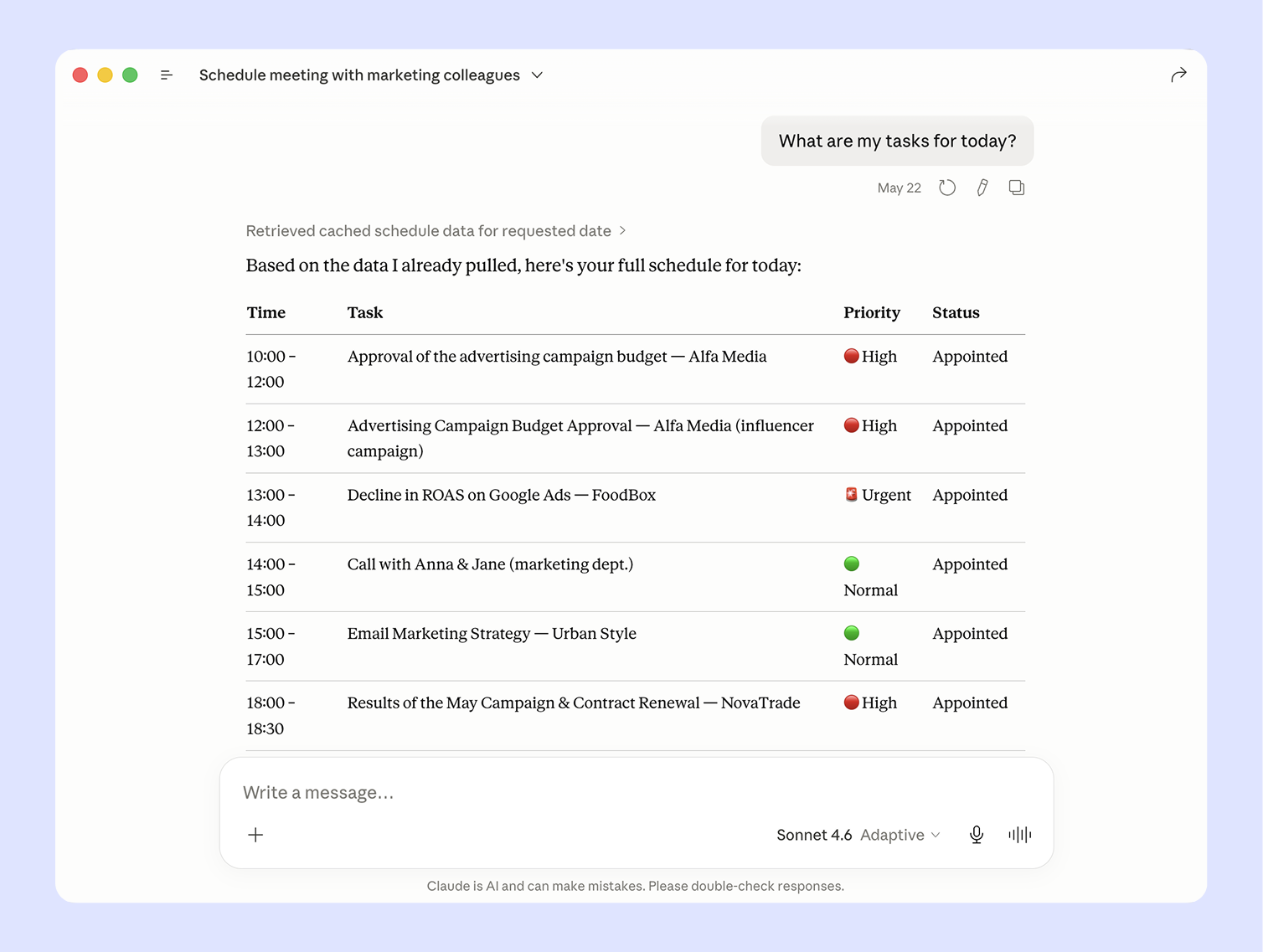
Connect ClAude to your family calendar

The 2026 way to run a family calendar: just ask

In 2026 you don't have to open an app and tap through menus to plan. Because Voiset connects to assistants like Claude and ChatGPT, you can just ask. "When's the best week for a family vacation?" "Find a free evening to start guitar lessons for Mia." "Plan Tom's tutoring around his football practice." Your assistant looks at everyone's real calendar, finds the time that actually works, and puts it on the shared family calendar, with no conflicts and no manual juggling. It's the difference between a calendar you manage and one that plans with you.

Freelancers

Your workload, analysed.
Your next move, clear.

Claude connects directly to your Voiset workspace — it sees your tasks, deadlines, and calendar without you explaining anything. Ask "What should I focus on today?" and Claude analyses your workload and tells you where to start. Ask how your week looked and get an honest productivity breakdown — which days were overloaded, where focus time disappeared, and what to adjust next week.

Creating tasks and notes with your voice
Same calendar, more clarity

Voiset VS a Regular shared calendar

A shared calendar tells everyone what's happening. It doesn't tell anyone what they're actually responsible for, who's picking up the kids, or whether two practices got booked at the same time. Voiset starts where the calendar stops, you say the plan out loud, and it turns into a task with an owner, a deadline, and a slot that doesn't clash with anything else.

What you need
Plain calendar
Voiset
Shared calendar everyone can see
Color-coding per family member
Clear task ownership (who does what)
Turn spoken plans into tasks (voice)
AI auto-scheduling & conflict detection
Recurring routines that adapt
Manual
Automatic
Kids' schedules with reminders
Partial
Syncs with Google, Outlook & Zoom
Varies

Keep the calendar you already use. Voiset connects to Google Calendar and adds the structure a plain calendar can't.

Family planner FAQ

What is a shared family calendar?
How do I create a family calendar everyone can access?
Can I sync Voiset with Google Calendar?
Does Voiset integrate with Outlook?
Can my kids have their own schedule?
Does everyone in the family get reminders?
Can I add tasks by voice?
How is Voiset different from Google Calendar?
Is Voiset free?

Why a shared calendar isn't enough for busy families ?

A shared family calendar is a great start! It shows everyone's events in one place and stops the "I didn't know about that" arguments. But once family life gets busy, a plain calendar starts to fall short. It tracks time, not responsibility. An entry like "school meeting at 5 PM" never says who's attending, who's preparing, or who's driving.

Most family plans also don't begin inside a calendar. They happen out loud: "can you pick up groceries tomorrow?", "don't forget the dentist next week." Unless someone stops and types them in, they vanish.

Voiset is a family planner built for exactly this. You can capture plans by voice, and Voiset turns them into structured tasks with the right time and reminders. Recurring routines like school runs, chores, and activities adapt automatically instead of needing manual updates every week. And the AI schedules everything around your family's real availability, so there are no double-bookings.

The result is a shared family calendar that doesn't just display your week. It actively organizes it.

Choose the plan that suits you best!